



-
 Conrad Murray
-
 09 May, 2024
Sometimes during our tenant to tenant migrations we come across this issue for OneDrive migrations in the target tenant on day one of user logging into their OneDrive.
It is not a common issue, but also it does not fall into the very rare category either. At a recent migration of circa 10k users we probably saw 60+ cases of this.
Where we see it happen is often where the UPN of the user has changed from when the ODfB Personal Site was created and for whatever reason something in the Microsoft back-end service has not processed the change correctly. There is information in this technote from Microsoft about it that is the similar usecase, but not always identical.
The UserInfo list for the SharePoint and OneDrive sites associated with the account only has the old ID. When users try to access a SharePoint or their OneDrive site by using their new account, their new ID doesn’t match the ID that’s in the UserInfo list. Therefore, they’re denied access to the site.
Fix site user ID mismatch in SharePoint or OneDrive
https://learn.microsoft.com/en-us/sharepoint/troubleshoot/sharing-and-permissions/fix-site-user-id-mismatch
On the face of it, nothing seems wrong. The OneDrive site owner is correct and the URL for the Personal OneDrive site is correct, and yet, the end-user cannot start the Desktop OneDrive application. Even going to the browser to connect to OneDrive also fails with an access denied error.
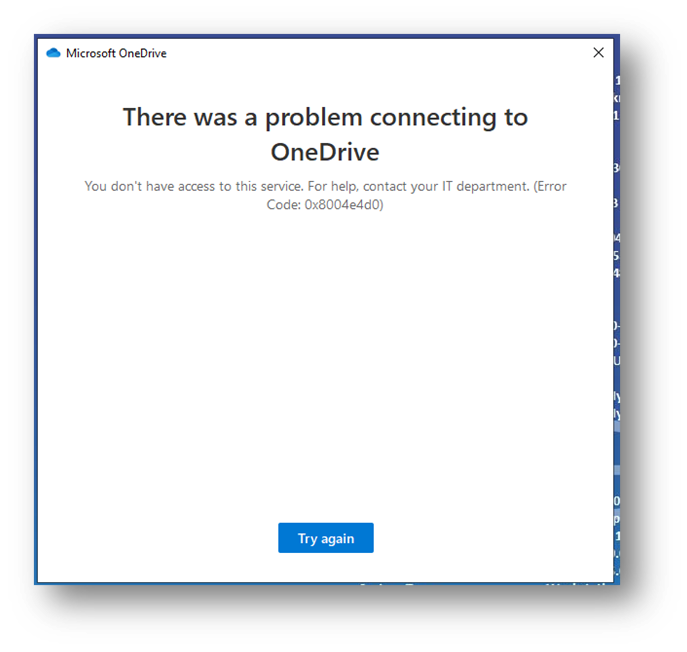
The error seen on the Windows Device in the Desktop Application is:
You don’t have access to this service. For help, contact your IT department (Error Code: 0x8004e4d0)
And looks like this:
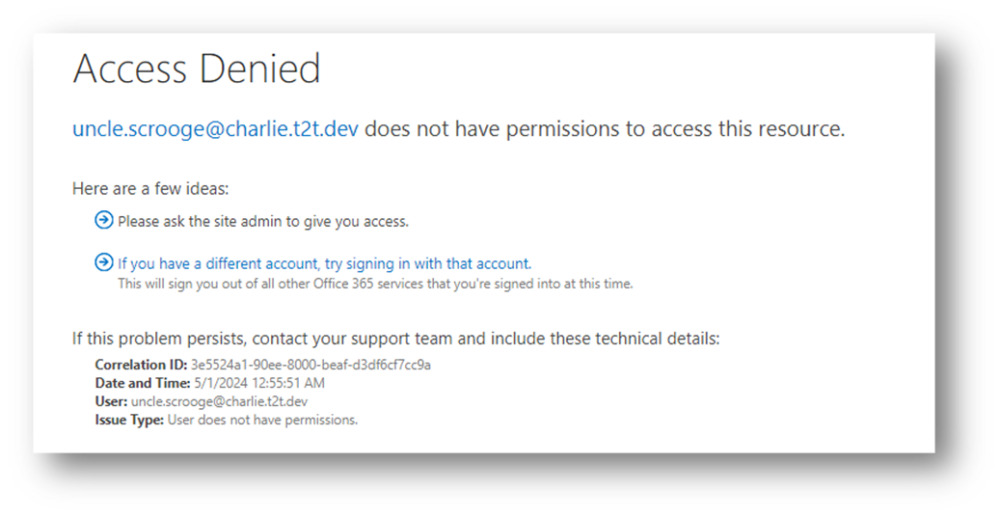
And if they try via the Browser, they see this:
“user” does not have permission to access this resource.
The solution, in a nut shell is to remove the user from Owner and SiteCollectionAdmin on the OneDrive Personal Site. This can be done via the UI in the SharePoint Admin Portal or via PowerShell.
SharePoint Admin Portal
Go to SharePoint Admin Portal\More Features\User Profiles

Open and select: Manage User Profiles
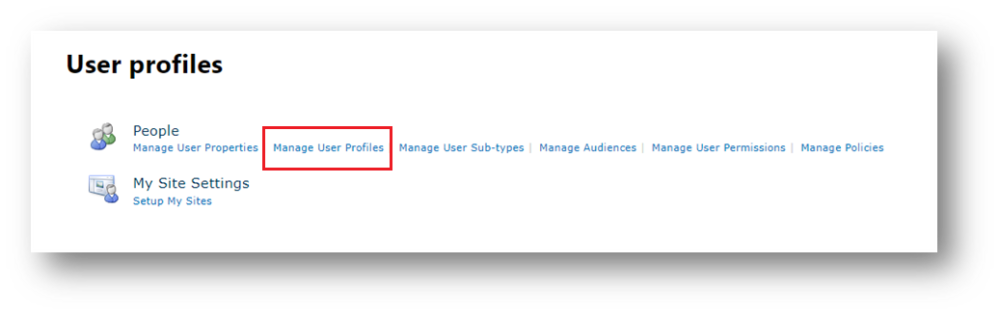
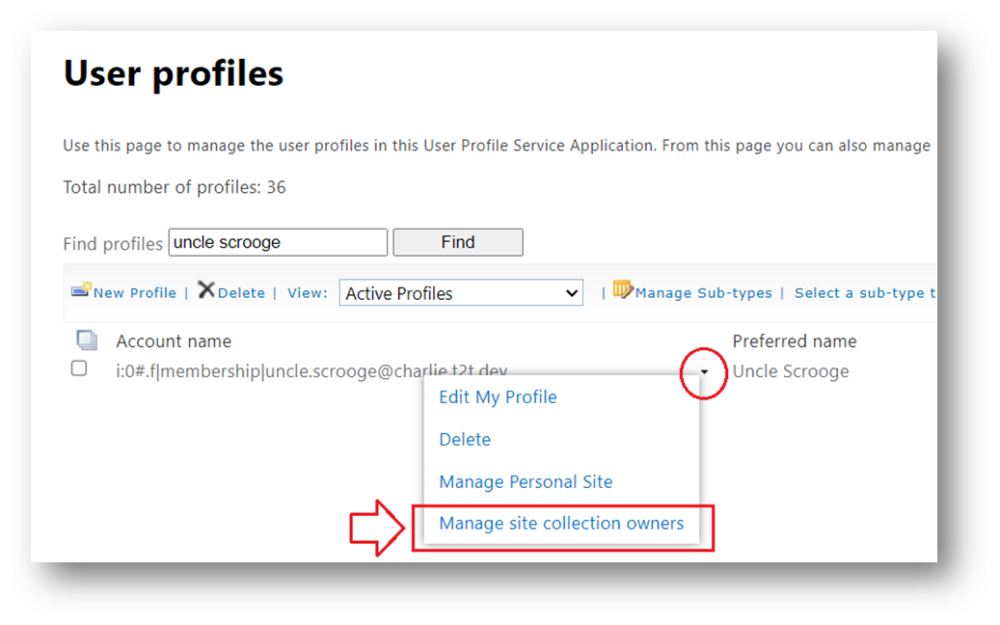
In the Find profiles box, type the user name of the failing user and hit find. On the username select, and a small dropdown will appear. Click this and choose “Manage site collection owners”
Remove the current user.
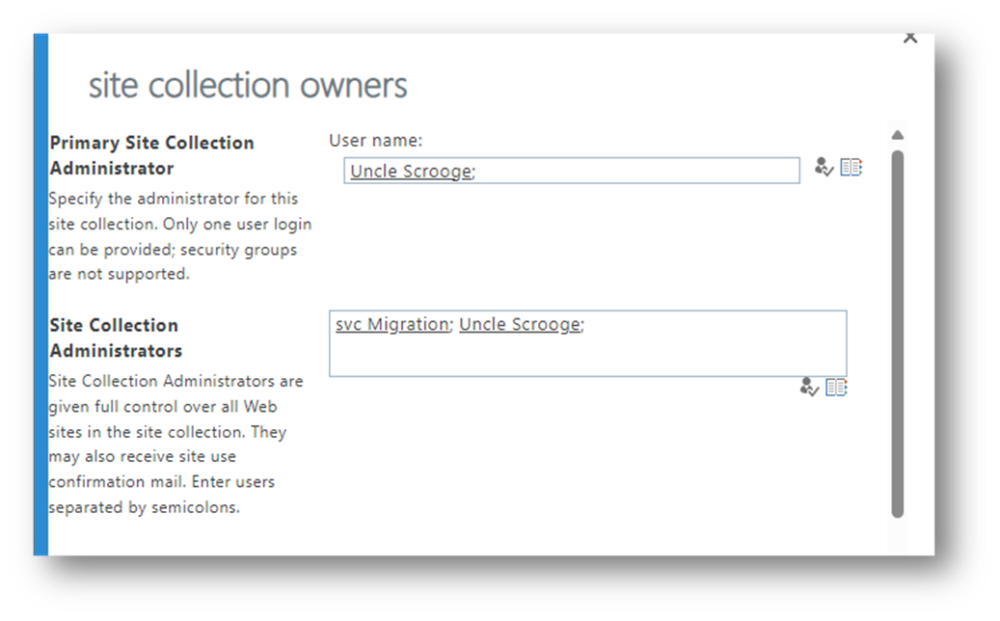
and replace with another, e.g. your own Admin Account
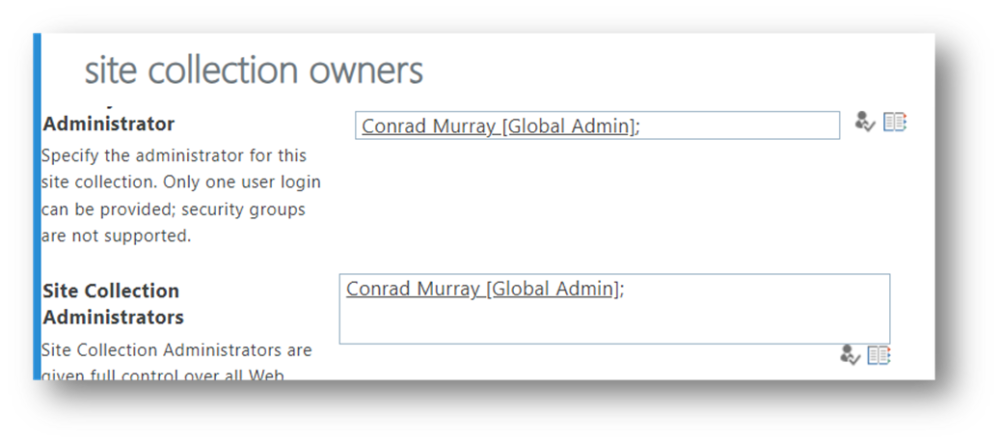
Choose OK

Then repeat the process and add back the original User that should be Owner/Admin of their own Personal Site.
Preferred Method – PowerShell
Connect to SP Online, and run the following 4 lines similar to this:
Change Owner
Set-SPOSite https://contoso-my.sharepoint.com/personal/uncle_scrooge_charlie_t2t_dev1 -Owner admin.conrad.murray@contoso.onmicrosoft.com
Remove User
Remove-SPOUser -Site https://contoso-my.sharepoint.com/personal/uncle_scrooge_charlie_t2t_dev1 -LoginName uncle.scrooge@charlie.t2t.dev
Add SiteCollectionAdmin
Set-SPOUser -Site https://contoso-my.sharepoint.com/personal/uncle_scrooge_charlie_t2t_dev1 -LoginName uncle.scrooge@charlie.t2t.dev -IsSiteCollectionAdmin:$TRUE
Revert Owner
Set-SPOSite https://contoso-my.sharepoint.com/personal/uncle_scrooge_charlie_t2t_dev1 -Owner uncle.scrooge@charlie.t2t.dev
This should solve your issue.
Need help with complex OneDrive or Microsoft 365 migration issues?
Problems like Error Code 0x8004e4d0 are often symptoms of larger identity, permission, or tenant-to-tenant migration challenges that can be difficult to diagnose at scale.
At Nero Blanco, we specialise in large-scale Microsoft 365 migrations, OneDrive remediation, Exchange Online, and cross-tenant transformation projects.
If you’re planning a migration — or dealing with post-migration issues that require specialist troubleshooting — get in touch to see how we can help.

Conrad Murray
Conrad Murray is a Microsoft Certified IT consultant working in IT for over 20 years specialising in the Messaging arena and in particular Office 365 and previously Microsoft Exchange On-Premises and IBM Domino. Working with like minded colleagues now delivering very large scale complex migrations from Office 365 to Office 365 (tenant to tenant), Lotus Notes and On-Premises Microsoft Exchange to Office 365.
News & Insights
Trusted insights on technology and innovation to power your business growth.


-
 03/06/2026
A practical engineering guide to owners, assignment, consent, credentials and ...
Read More

-
19/05/2026
Domain migrations in Microsoft 365 are rarely as simple as shifting email ...
Read More

-
12/05/2026
Over the past 10 to 15 years, Microsoft 365 has fundamentally reshaped how ...
Read More

-
07/05/2026
Yesterday we had an all company meeting and I thought it would be cool to kick ...
Read More

-
07/05/2026
Planning a tenant-to-tenant migration? Talk to us
Read More

-
31/03/2026
In tenant-to-tenant (T2T) and Google-to-Microsoft 365 migration projects, ...
Read More

-
27/03/2026
You’d think this would be easy and not an uncommon request. There are genuine ...
Read More

-
23/03/2026
Managing Google to Microsoft Migration with GAM7 and PowerShell
Read More

-
16/03/2026
When a user leaves an organisation in Microsoft 365, administrators have ...
Read More
