



-
 Twan van Beers
-
 08 November, 2016
A common complaint from people who are used to using Skype and who are moving to Skype for Business is where is persistent chat? I mean in Skype I can be part of a group conversation and even if I’m not actively logged into Skype the next time I log in I can see the entire conversation thread that I missed.
Skype for Business has no such equivalent, if you leave a group conversation and then later re-join that conversation then anything that was said in between leaving and returning is not visible to you. Now this is of course a very specific use case, but for those that use it, it is a very important use case. An example of where this is important is informal team discussions and troubleshooting teams.
We at Nero Blanco use Skype for a persistent connection between the three directors. We can dip in and out. We get notified in the desktop and mobile apps and we can refer back to older conversation that occurred while one of us was off line (although searching through a Skype conversation to find something that was said is… well a pain…)
Troubleshooting teams often come together on a call/chat to perform incident fix or root cause analysis. For larger organisations they are likely to have follow the sun support and so people need to be able to join the call at various times and still see what’s been said so far. With Skype again this is pretty easy where as it is much harder with Skype for Business
So what has Microsoft been doing about this?
Introducing Microsoft Teams, persistent chats in Office 365. It is clearly aimed at the Slack users and Skype users, and whilst it is still pretty immature, you can see where Microsoft may be looking to take this. You need to enable Teams in Office 365 (Admin portal, Settings, Services & Add-ins, search for Microsoft Teams and enable)
First of all there are new clients… yep that’s right it doesn’t integrate into Skype for Business or Outlook at the moment. It is unclear if it every will at this time. There is a browser based client (https://teams.microsoft.com/), a desktop client and a mobile client. See the three clients below
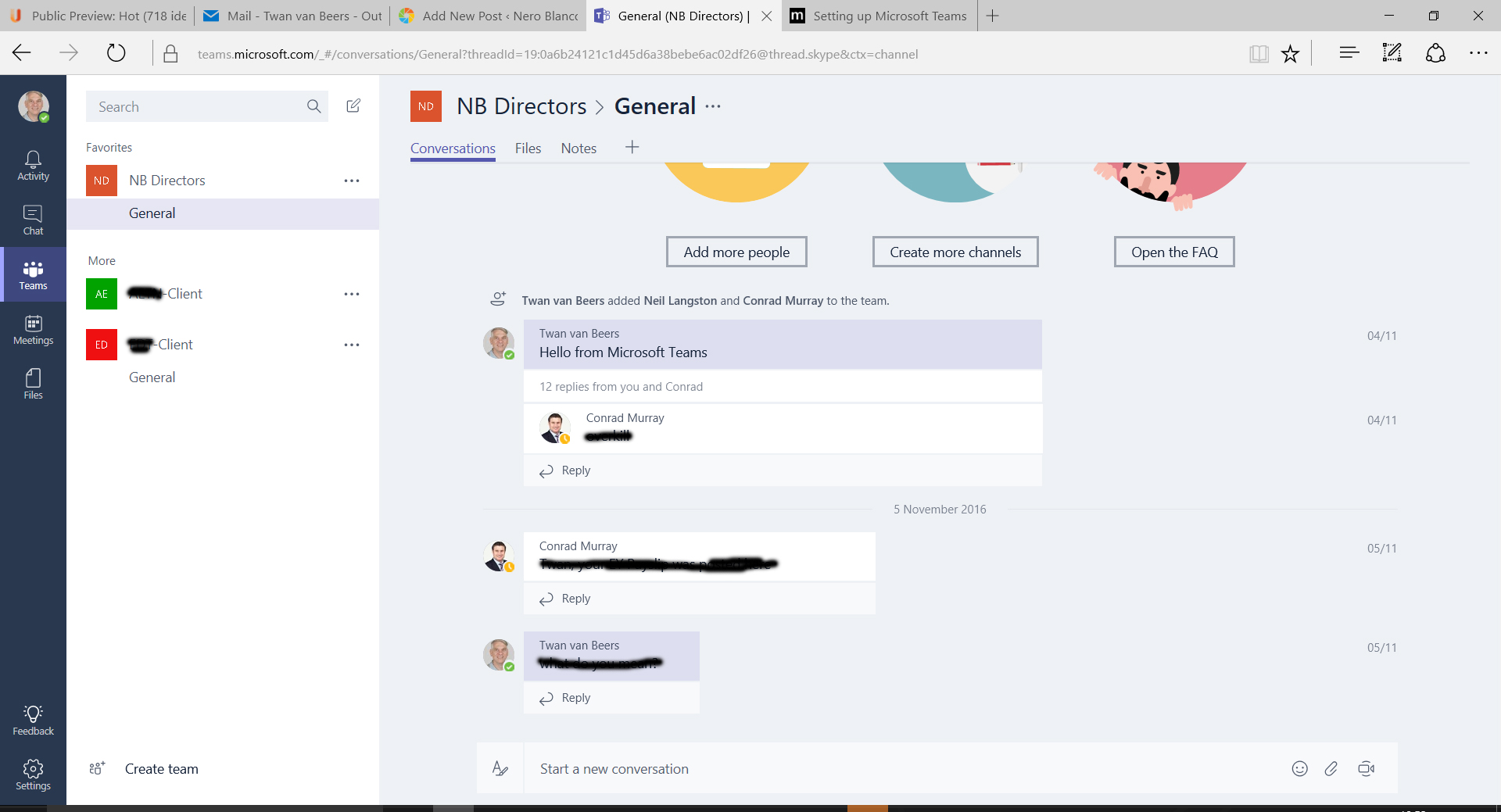
Browser Teams Client
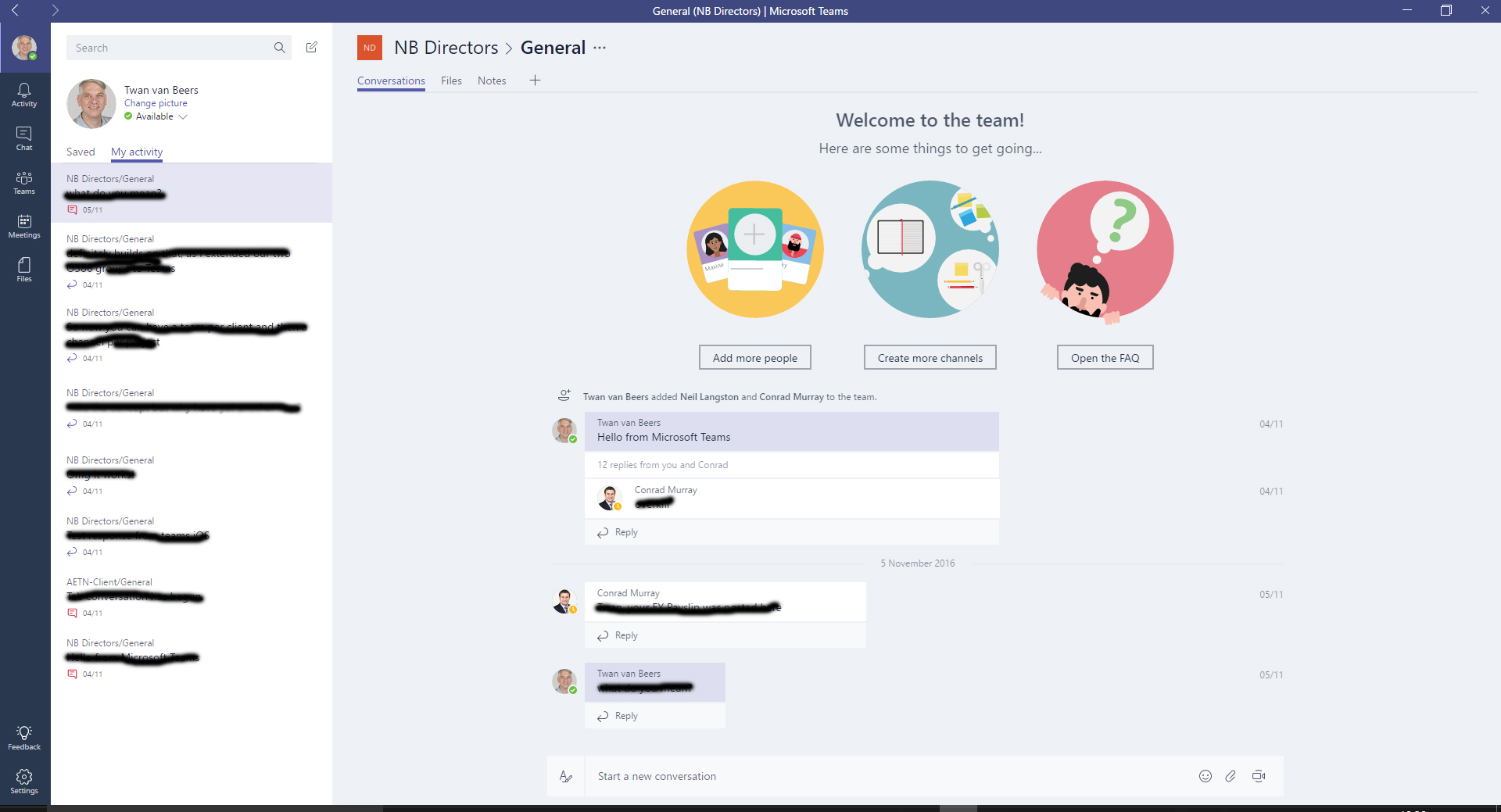
Desktop Teams Client
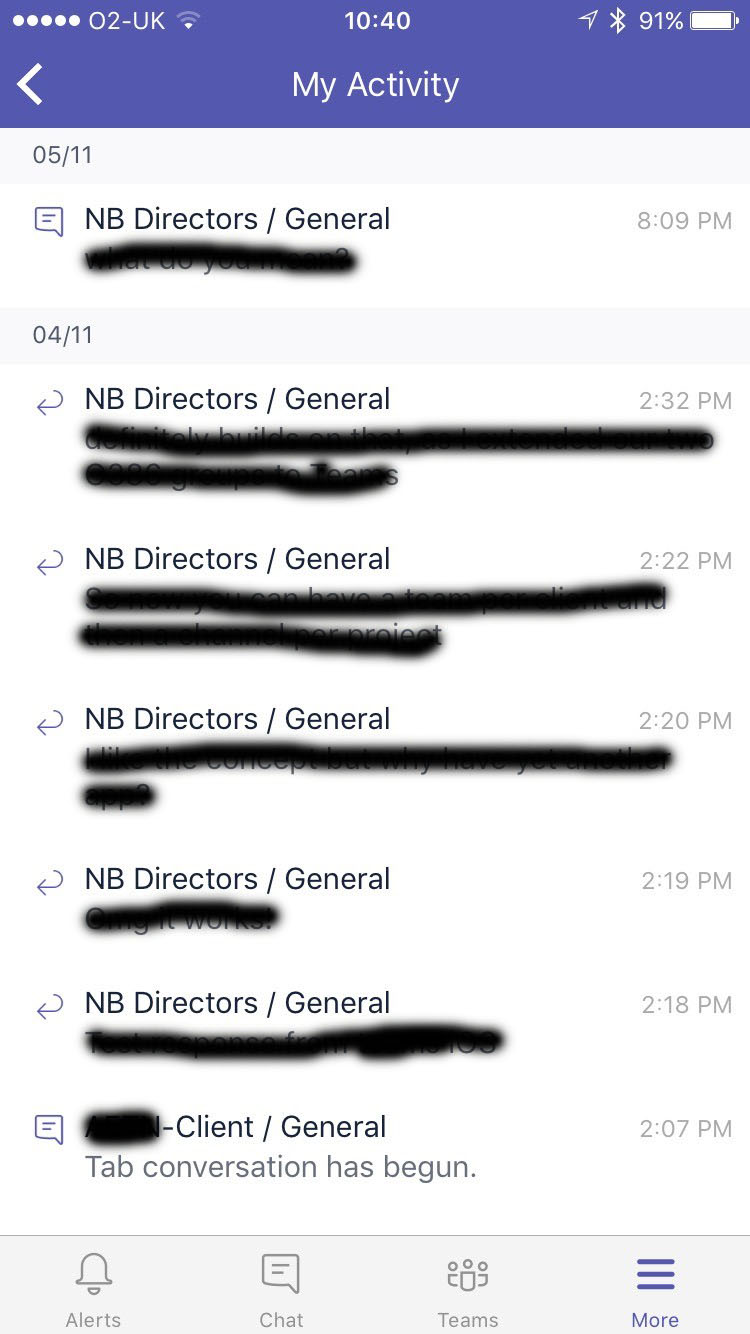
Mobile Teams Client
As you can see it is a newer interface with a chat like (or more Yammer like/Slack like) chat design. So far we’ve found it a little bit cumbersome having yet more clients but I’m sure it will improve. The interesting point about the new client is: are Microsoft going to integrate Outlook and Skype for Business into this Teams client and give us a new single pane of glass for collaboration…
Another area of confusion for us is how does Teams related to O365 Groups? They appear to be an extension as you can extend an O365 Group to have Teams features. Once you have done that though it still doesn’t really integrate… for example
- The conversations in Outlook are still ‘just’ emails, whereas the conversations in the Teams app are Skype for Business based
- If you have a pre-existing OneNote in O365 Groups then that is NOT the same OneNote as the one in Teams (although if you don’t have one in O365 Groups and create one in Teams than it IS the same OneNote)
- Presence information is separate between Skype for Business and Teams
Microsoft have a section on UserVoice for Teams which you can see here http://aka.ms/teamspublicfeedback. There are already hundreds of suggestions here for Microsoft to look at, evaluate and potentially implement. We will have to wait and see what Microsoft do of course. Definitely one to watch though!

Twan van Beers
Twan is a senior consultant with over 30 years of experience. He has a wide range of skills including Messaging, Active Directory, SQL, Networking and Firewalls. Twan loves to write scripts and get deep and dirty into debugging code, in order to understand and resolve the most complex of problems.
News & Insights
Trusted insights on technology and innovation to power your business growth.


-
 03/06/2026
A practical engineering guide to owners, assignment, consent, credentials and ...
Read More

-
19/05/2026
Domain migrations in Microsoft 365 are rarely as simple as shifting email ...
Read More

-
12/05/2026
Over the past 10 to 15 years, Microsoft 365 has fundamentally reshaped how ...
Read More

-
07/05/2026
Yesterday we had an all company meeting and I thought it would be cool to kick ...
Read More

-
07/05/2026
Planning a tenant-to-tenant migration? Talk to us
Read More

-
31/03/2026
In tenant-to-tenant (T2T) and Google-to-Microsoft 365 migration projects, ...
Read More

-
27/03/2026
You’d think this would be easy and not an uncommon request. There are genuine ...
Read More

-
23/03/2026
Managing Google to Microsoft Migration with GAM7 and PowerShell
Read More

-
16/03/2026
When a user leaves an organisation in Microsoft 365, administrators have ...
Read More
