



-
 Conrad Murray
-
 21 August, 2019
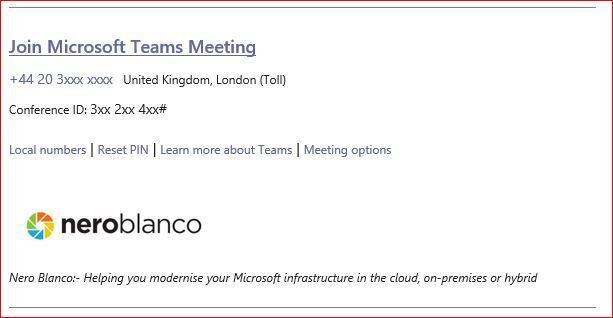
When you create a meeting in Outlook and choose a Microsoft Teams meeting from the ribbon, the body of the meeting is automatically populated with the Teams meeting details.
Something like this:
SUMMARY
During a migration none of these details are updated/edited/replaced by any vendor I have asked.
FIX
Have all Chairpersons update their meetings at least once to remove the old embedded link (remove Teams info) and add new Teams info. Save and send to all participants.
This can be done manually, or we have developed an Outlook Add-On that automates as much as possible what the user needs to do. Also works in OWA.
READ MORE
So, what about the embedded link? This is what the URL looks like (from our tenant)
https://teams.microsoft.com/l/meetup-join/19%3ameeting_MDNiMGUwNzEtYWRmNi00NDJhLTliMWMtMTc3OWRmYzhjM2Qw%40thread.v2/0?context=%7b%22Tid%22%3a%22c73c591a-bcae-467f-be04-cccb8de1c290%22%2c%22Oid%22%3a%223df04762-4f35-4080-9ffd-ce6db875ec53%22%7dLooks OK, but when it’s broken down and you replace the URL encoded characters this is what it looks like:
https://teams.microsoft.com/l/meetup-join/19:meeting_MDNiMGUwNzEtYWRmNi00NDJhLTliMWMtMTc3OWRmYzhjM2Qw%40thread.v2/0?context={"Tid":"c73c591a-bcae-467f-be04-cccb8de1c290","Oid":"3df04762-4f35-4080-9ffd-ce6db875ec53"}So you can see:
- “Tid”:”c73c591a-bcae-467f-be04-cccb8de1c290″
- “Oid”:”3df04762-4f35-4080-9ffd-ce6db875ec53″
- Tid = our Azure AD Directory ID
- Oid = my own Azure AD Account object ID
Now during a migration none of these details are updated/edited/replaced by any vendor I have asked. I suspect that doing a find and replace on the fly for Calendar items:
A) Has massive performance penalties, and
B) Would need to be thoroughly tested, as it could easily break the meeting structure, patterns and even corrupt them completely depending on what else changes and gets re-evaluated. Not to mention how to manage signed/encrypted items.
The upshot of this is that anyone joining a meeting from a migrated meeting will be directed back to the old tenant and to the Teams meeting hosted by the migrated users old Object ID.
This is clearly a problem, as nearly always the old tenant will still exist, and probably the Object ID. Even if it is deleted, it will be in Azure AD recycle bin for 30 days.
Frustratingly external users will be sent there too. Even running a VBScript in Outlook that could remediate those items will only fix it for the person that ran it, and not all the chair/recipients/particpants.
There is potentially a way to do this in PowerShell/EWS, but again, as above I would be VERY wary and cautions of even attempting that, plus it won’t fix external recipients.
Realistically the only true way of fixing it is to tell users who are Chairpersons of meetings to edit and update the Teams meeting info by removing it and adding new details, delete and re-create the meetings or use an add-in to automate some of it.

Conrad Murray
Conrad Murray is a Microsoft Certified IT consultant working in IT for over 20 years specialising in the Messaging arena and in particular Office 365 and previously Microsoft Exchange On-Premises and IBM Domino. Working with like minded colleagues now delivering very large scale complex migrations from Office 365 to Office 365 (tenant to tenant), Lotus Notes and On-Premises Microsoft Exchange to Office 365.
News & Insights
Trusted insights on technology and innovation to power your business growth.


-
 03/06/2026
A practical engineering guide to owners, assignment, consent, credentials and ...
Read More

-
19/05/2026
Domain migrations in Microsoft 365 are rarely as simple as shifting email ...
Read More

-
12/05/2026
Over the past 10 to 15 years, Microsoft 365 has fundamentally reshaped how ...
Read More

-
07/05/2026
Yesterday we had an all company meeting and I thought it would be cool to kick ...
Read More

-
07/05/2026
Planning a tenant-to-tenant migration? Talk to us
Read More

-
31/03/2026
In tenant-to-tenant (T2T) and Google-to-Microsoft 365 migration projects, ...
Read More

-
27/03/2026
You’d think this would be easy and not an uncommon request. There are genuine ...
Read More

-
23/03/2026
Managing Google to Microsoft Migration with GAM7 and PowerShell
Read More

-
16/03/2026
When a user leaves an organisation in Microsoft 365, administrators have ...
Read More
