



-
 Neil Langston
-
 22 June, 2018
Very brief observation from us today.
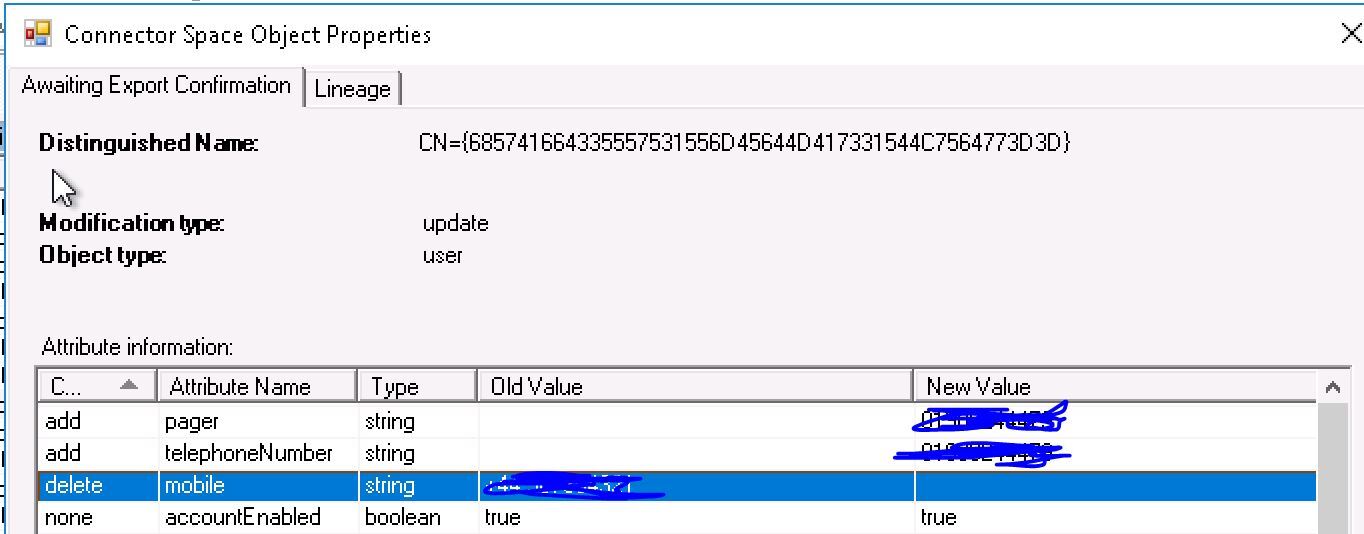
A customer complained that the mobile attribute was not syncing from their local Active Directory to Office 365/Azure Active Directory – even though AAD Connect was reporting the attribute changes….
It turns out, that this is one of the only attributes editable directly on Azure Active Directory / Office 365 which users can update. See here how it’s the only attribute available for edit.
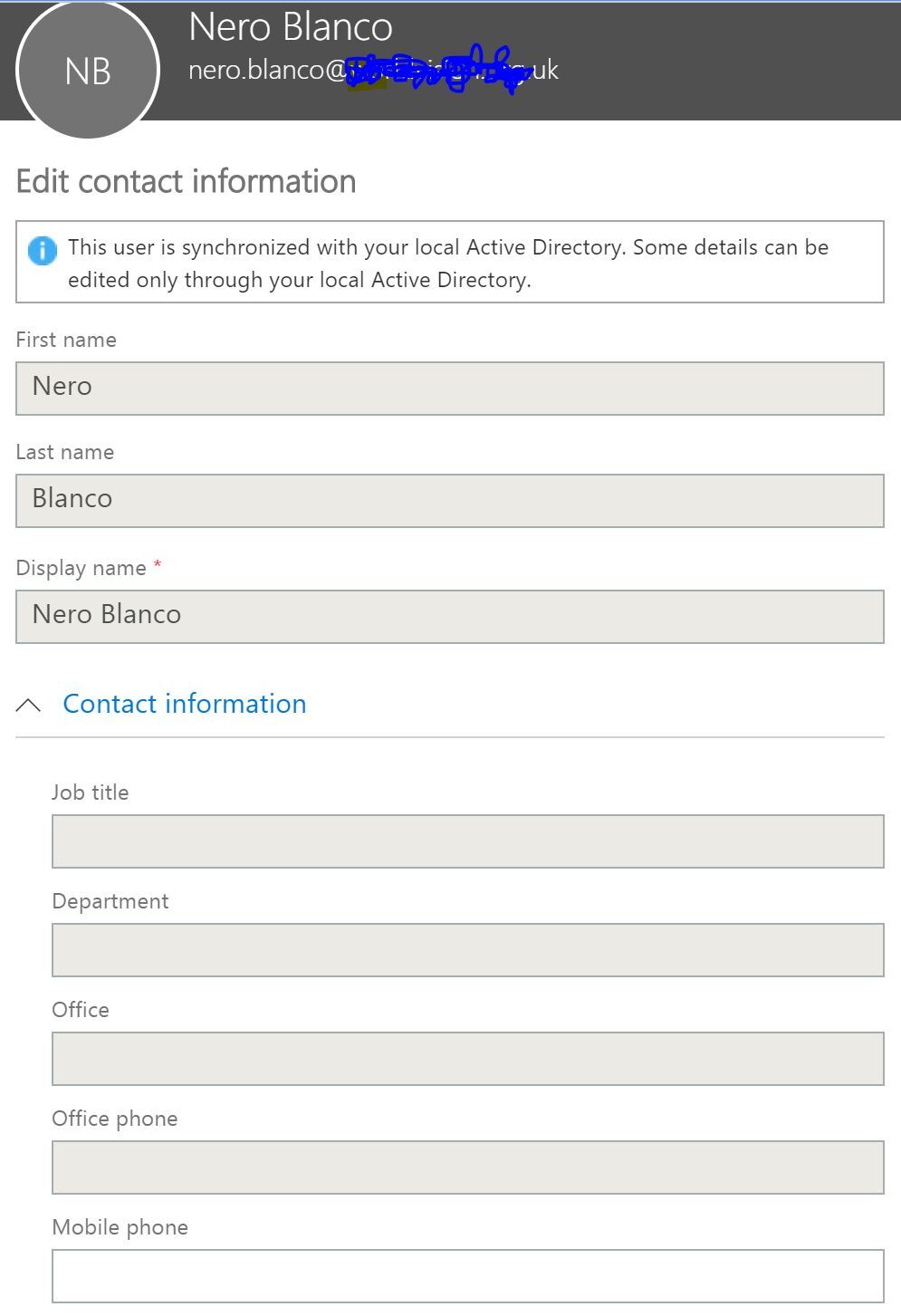
Once they do update it directly, On-Premises Active Directory is no longer the authoritative source; Azure Active Directory / Office 365 is.
There is currently no way to reverse that. The users who have made the change will need to update their mobile number directly in O365 going forward. All others users who haven’t done this will continue to have local AD as the authoritative source synced through AADC (Azure AD Connect sync).
The mobile attribute does differ to the mobile number specified for MFA in the AlternateMobilePhones attribute, which is not visible in the GAL. Previously there were some problems in O365 where registering for MFA updated both the mobile and AlternateMobilePhones attributes, but that has been resolved now.
UPDATE:- 2nd November 2018
I did create a support case and I was told the following
“This is <name removed> from Microsoft Online support. I checked your request as well as the blog. That is correct unfortunately, it is a bug and we don’t have a fix for it. I simulate this situation, check it on my knowledge base and confirming it. Unfortunately, I cannot tell you when it going to be resolved but I’ll report it and I’m pretty sure it will be resolved soon.”
I was also asked to create a user voice entry; so here it is if you want to add any weight.
If you want this behaviour reversed while we keep an eye on the defects fixed in the next releases of AAD Connect, you’ll need to log a call with Microsoft AAD support for them to change permissions for the attribute their side. You can provide Microsoft a list of accounts to perform this on. Unfortunately, if this is corrected for a user, and they then subsequently change the mobile attibute once again, you’ll need to create a fresh support ticket.

Neil Langston
News & Insights
Trusted insights on technology and innovation to power your business growth.


-
 03/06/2026
A practical engineering guide to owners, assignment, consent, credentials and ...
Read More

-
19/05/2026
Domain migrations in Microsoft 365 are rarely as simple as shifting email ...
Read More

-
12/05/2026
Over the past 10 to 15 years, Microsoft 365 has fundamentally reshaped how ...
Read More

-
07/05/2026
Yesterday we had an all company meeting and I thought it would be cool to kick ...
Read More

-
07/05/2026
Planning a tenant-to-tenant migration? Talk to us
Read More

-
31/03/2026
In tenant-to-tenant (T2T) and Google-to-Microsoft 365 migration projects, ...
Read More

-
27/03/2026
You’d think this would be easy and not an uncommon request. There are genuine ...
Read More

-
23/03/2026
Managing Google to Microsoft Migration with GAM7 and PowerShell
Read More

-
16/03/2026
When a user leaves an organisation in Microsoft 365, administrators have ...
Read More
