



-
 Conrad Murray
-
 23 May, 2017
Introduction
This document is a short form version containing the basic steps to help a fairly competent basic user that has some IT skills to complete the task of exporting their Lotus Notes personal contacts and importing them into Microsoft Outlook. This document should definitely be sufficient for an IT Support Person or Helpdesk consultant. There are advanced options available throughout this process that have been ignored.
The presence of Photos, Attachments or x500 Internet certificates present on Source Lotus Notes Contacts is ignored in this document.
These need to be exported and imported using a Virtual Card File (VCF ).
Assumptions
It is assumed that the Lotus Notes version in use is Lotus Notes version 8.5.x and above and that the design of the Personal Address Book is of a Notes 8x or higher Template.
It is assumed that the target Outlook Version is Outlook 2010/2013/2016, although this method will work for Outlook 2003 & Outlook 2007 also.
Export from Lotus Notes
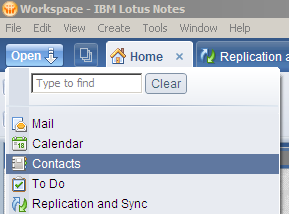
Open Lotus Notes
Open your Lotus Notes Personal Address Book – Contacts (names.nsf)
From the File Menu Select: Export Contacts
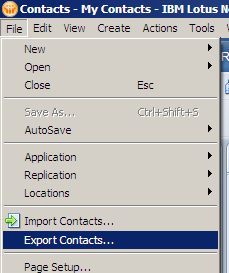
Accept the default Options:
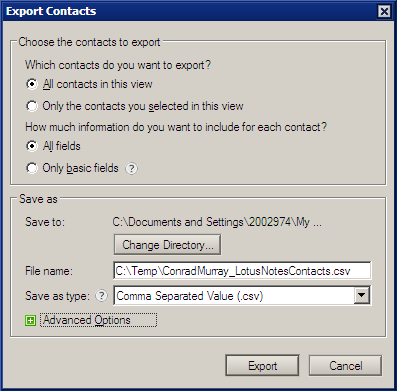
- All Contacts in this view
- All Fields
- Save to: Choose a place you can find the file, like your Windows Desktop or Documents folder. (The Default Directory is My Documents)
- Use the Save as type: Comma Separated Value .csv
- Choose a File Name that is descriptive and easy to recognise.
Click Export
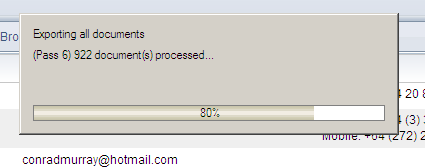
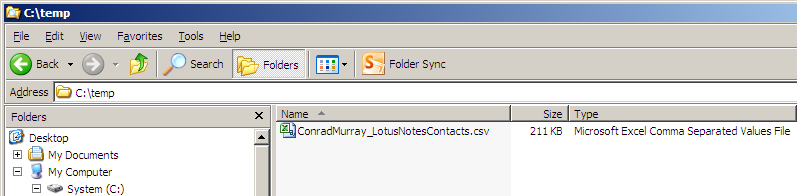
Output File in Windows Explorer
Import to Outlook
Open Microsoft Outlook
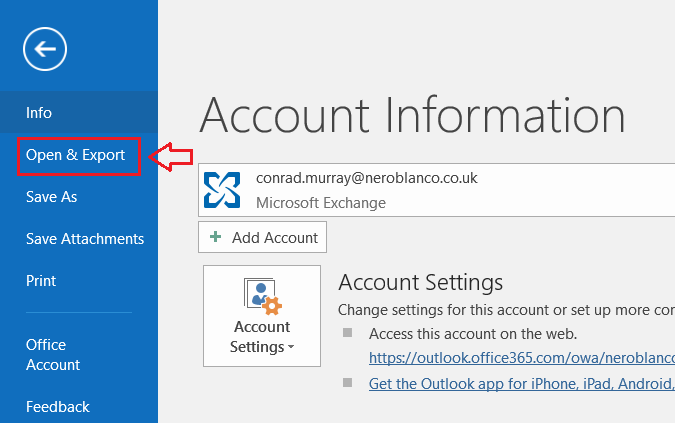
Choose File from the Menu Bar and then choose “Open & Export” from the left hand Menu Pane
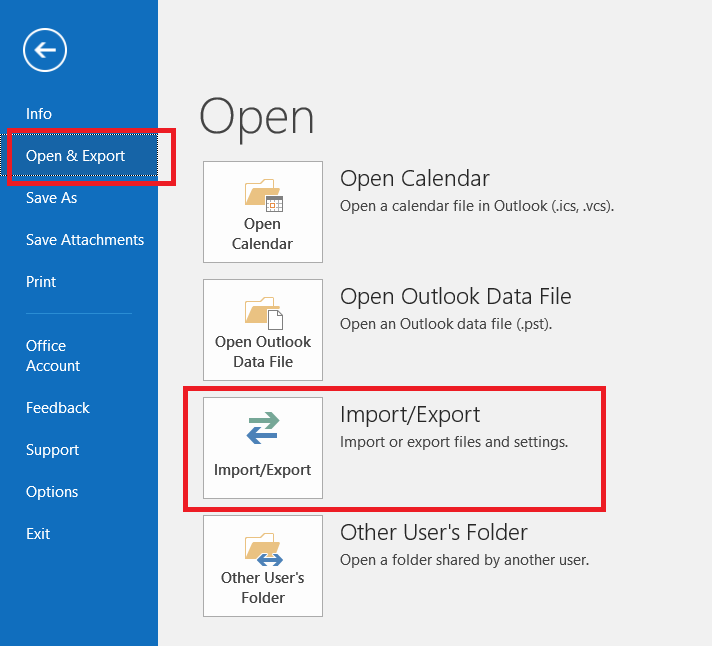
Select Import / Export
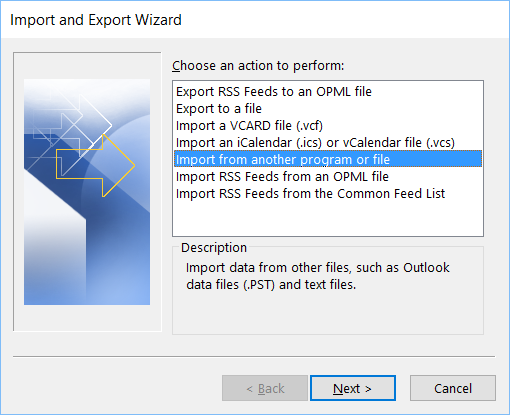
Import from another program or file
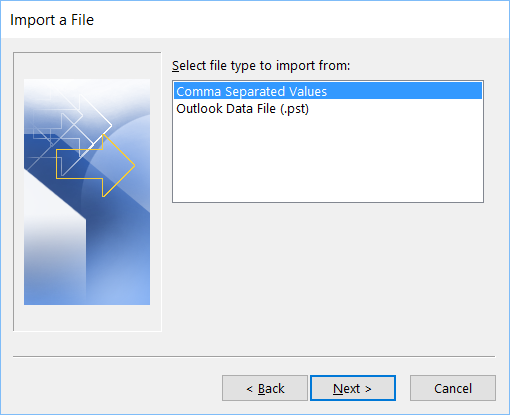
Select file type, change to Comma Separated Values (Windows)
In the File to Import, navigate to where you saved the file previously
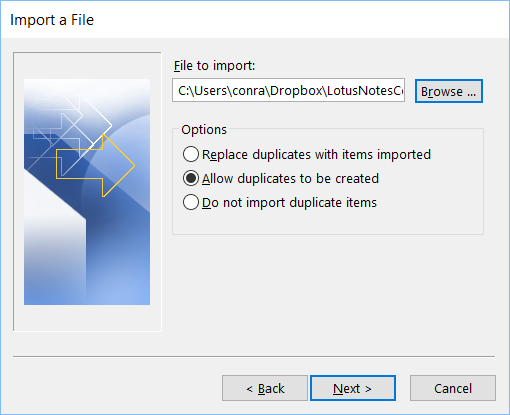
(If this is the first import you have done, accept the defaults otherwise think about the Options for potential duplicates)
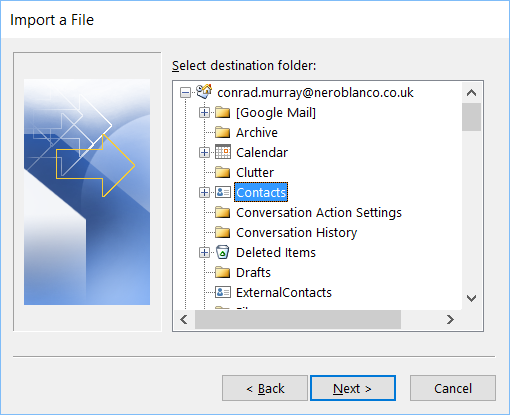
Be sure to Select Contacts as the Destination Folder
Field Mappings
Unless something goes wrong and you are starting again, you should not need to edit the Filed Mappings (Previous versions of Notes DID require this)
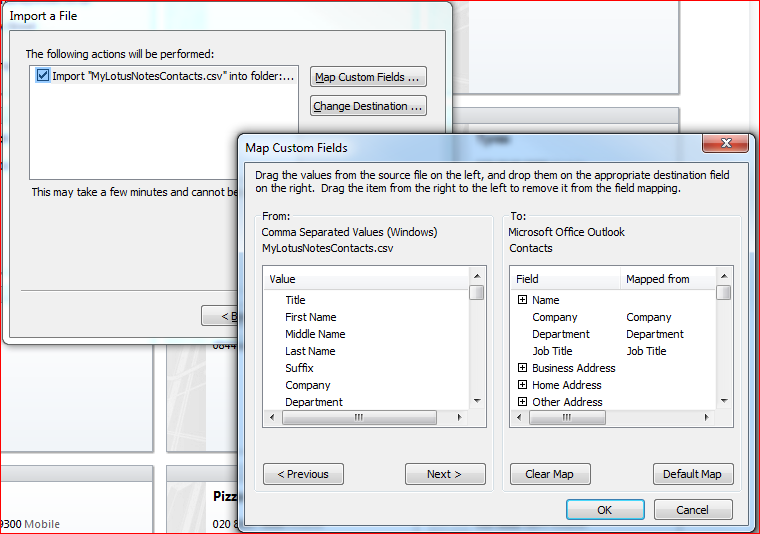
Click Finish
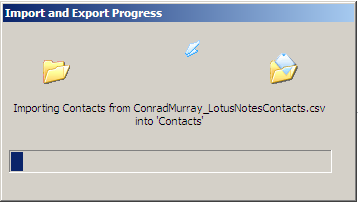
Volia
The inexpensive (FREE) way to Migrate your Lotus Notes Contacts to Microsoft Outlook!

Conrad Murray
Conrad Murray is a Microsoft Certified IT consultant working in IT for over 20 years specialising in the Messaging arena and in particular Office 365 and previously Microsoft Exchange On-Premises and IBM Domino. Working with like minded colleagues now delivering very large scale complex migrations from Office 365 to Office 365 (tenant to tenant), Lotus Notes and On-Premises Microsoft Exchange to Office 365.
News & Insights
Trusted insights on technology and innovation to power your business growth.


-
 03/06/2026
A practical engineering guide to owners, assignment, consent, credentials and ...
Read More

-
19/05/2026
Domain migrations in Microsoft 365 are rarely as simple as shifting email ...
Read More

-
12/05/2026
Over the past 10 to 15 years, Microsoft 365 has fundamentally reshaped how ...
Read More

-
07/05/2026
Yesterday we had an all company meeting and I thought it would be cool to kick ...
Read More

-
07/05/2026
Planning a tenant-to-tenant migration? Talk to us
Read More

-
31/03/2026
In tenant-to-tenant (T2T) and Google-to-Microsoft 365 migration projects, ...
Read More

-
27/03/2026
You’d think this would be easy and not an uncommon request. There are genuine ...
Read More

-
23/03/2026
Managing Google to Microsoft Migration with GAM7 and PowerShell
Read More

-
16/03/2026
When a user leaves an organisation in Microsoft 365, administrators have ...
Read More
