



-
 Conrad Murray
-
 19 March, 2020
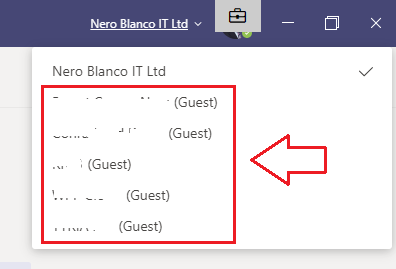
Ever had that situation where you collaborate with an external organization and that project/collaboration comes to its natural (or unnartural0 conclusion, but then you are left with their organization cluttering up your Teams organizations drop down? Not the end of the world of course, but annoying none the less, and if you like a clean config and set-up you want to get rid of them.
Initially I tried just leaving the team, but that didn’t help as I was then left with the Organization, but no Team associated with it.
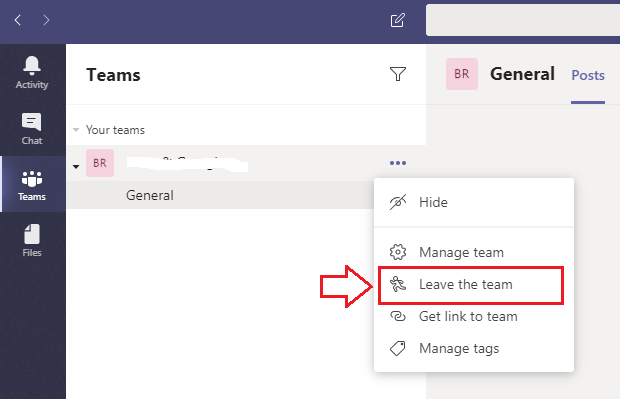
For a couple where we are the CSP I was able to just go and delete my Guest accounts and then voila, some time later their organization disappeared for me. For a couple of others I contacted them and asked them to do it, but for the others I was suck.
Another way: Leave Organization
Now, I can’t exactly quite remember the breadcrumb trail that led me to this, if I was looking at my account for a different reason, but anyway this is where you need to go: https://account.activedirectory.windowsazure.com/
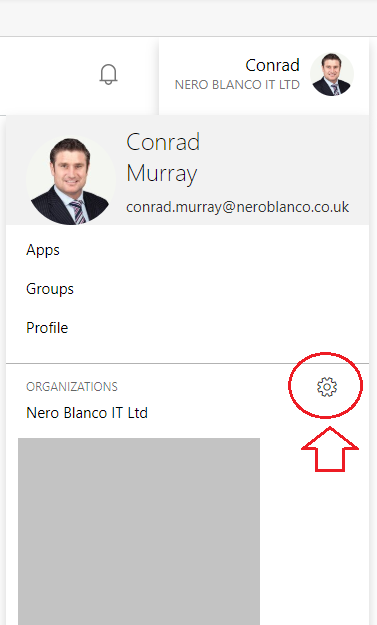
Click on your picture and Organizations will pop out, then click the cog wheel and you are taken to: https://account.activedirectory.windowsazure.com/r#/profile/organizations#organizations-section
TIP: You can go straight there, but you may have to sign in, then click the link again.
From here you can see all the Organizations where you are also a Guest:
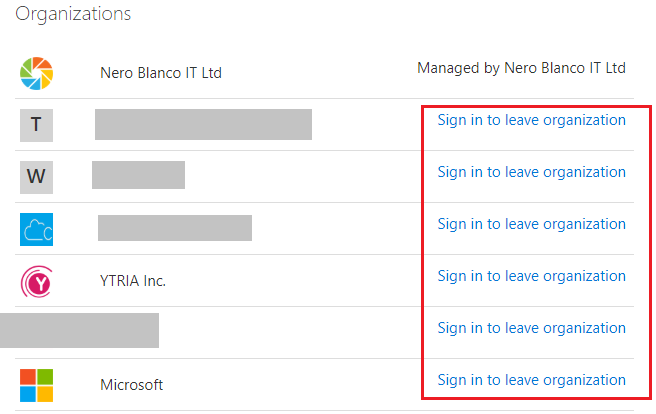
Click the Sign in to leave organization link, then you need to come back here AGAIN to Leave organization.
(Basically you are going to click this link three times: https://account.activedirectory.windowsazure.com/r#/profile/organizations#organizations-section )
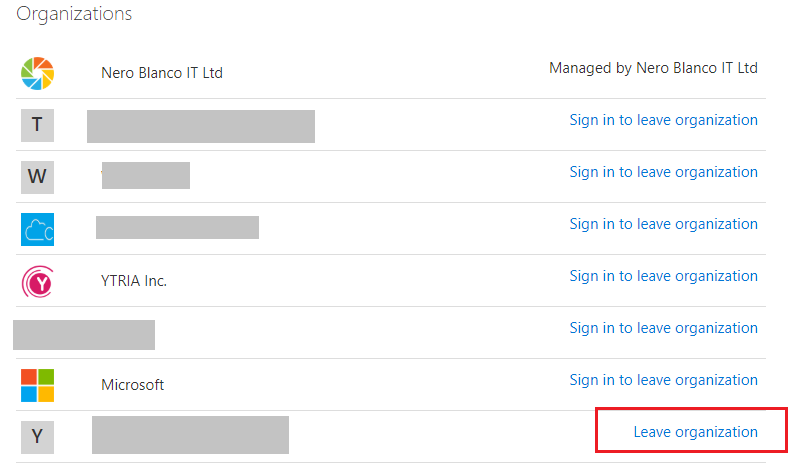 Leave Organization
Click the Leave organization link, and you will get a confirmation box
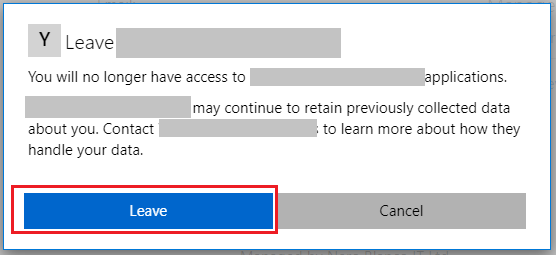 Confirmation box
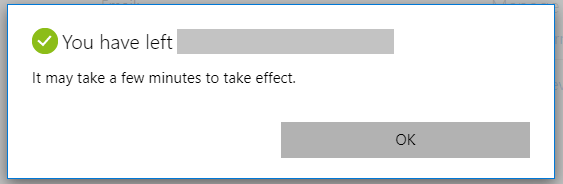 Click OK
Click OK and you’re done.
Must admit, this had been annoying me for some time.
Closing note:
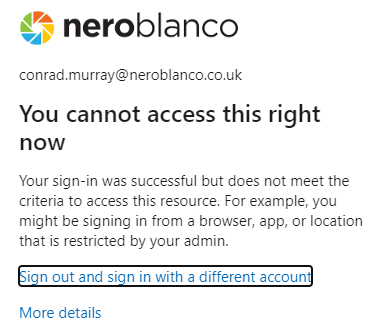
There is one organization I can’t seem to leave for whatever reasons just yet. Not sure if my Guest account over there is in a bad state – probably just disabled for sign-in. I’m going to email them and ask them to delete the account manually.

Conrad Murray
Conrad Murray is a Microsoft Certified IT consultant working in IT for over 20 years specialising in the Messaging arena and in particular Office 365 and previously Microsoft Exchange On-Premises and IBM Domino. Working with like minded colleagues now delivering very large scale complex migrations from Office 365 to Office 365 (tenant to tenant), Lotus Notes and On-Premises Microsoft Exchange to Office 365.
News & Insights
Trusted insights on technology and innovation to power your business growth.


-
 03/06/2026
A practical engineering guide to owners, assignment, consent, credentials and ...
Read More

-
19/05/2026
Domain migrations in Microsoft 365 are rarely as simple as shifting email ...
Read More

-
12/05/2026
Over the past 10 to 15 years, Microsoft 365 has fundamentally reshaped how ...
Read More

-
07/05/2026
Yesterday we had an all company meeting and I thought it would be cool to kick ...
Read More

-
07/05/2026
Planning a tenant-to-tenant migration? Talk to us
Read More

-
31/03/2026
In tenant-to-tenant (T2T) and Google-to-Microsoft 365 migration projects, ...
Read More

-
27/03/2026
You’d think this would be easy and not an uncommon request. There are genuine ...
Read More

-
23/03/2026
Managing Google to Microsoft Migration with GAM7 and PowerShell
Read More

-
16/03/2026
When a user leaves an organisation in Microsoft 365, administrators have ...
Read More
