



-
 Conrad Murray
-
 09 March, 2021
My colleague Twan had an interesting case recently. A user logged into their Outlook and a saw an additional mailbox for a colleague that they had never been granted access to, and should not have had access to. On top of that, they had Full Access + SendAs.
They had never been assigned any delegation. Not FullAccess, SendAs, Send on behalf of, end user delegation or even had a single Folder shared with them.
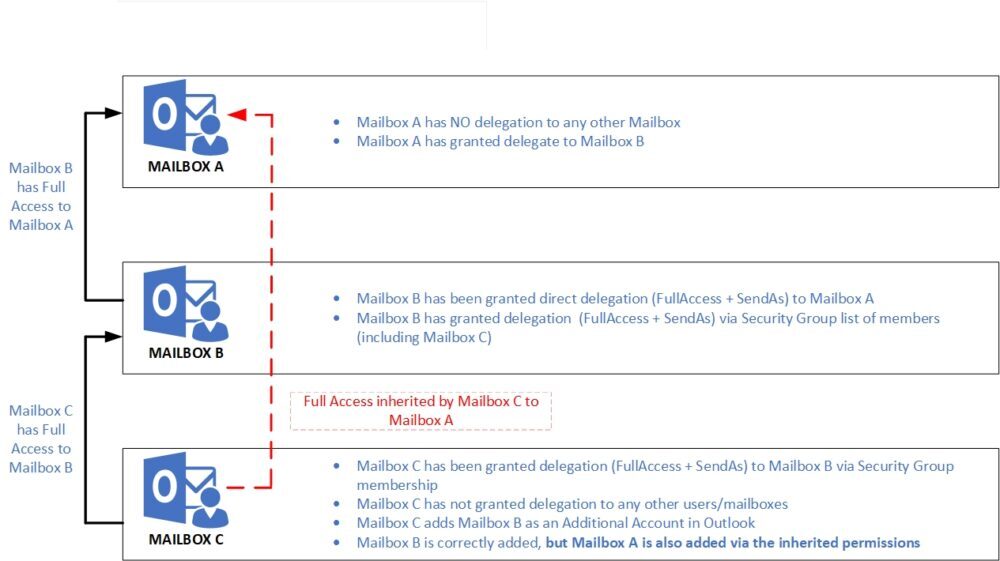
How could this be?
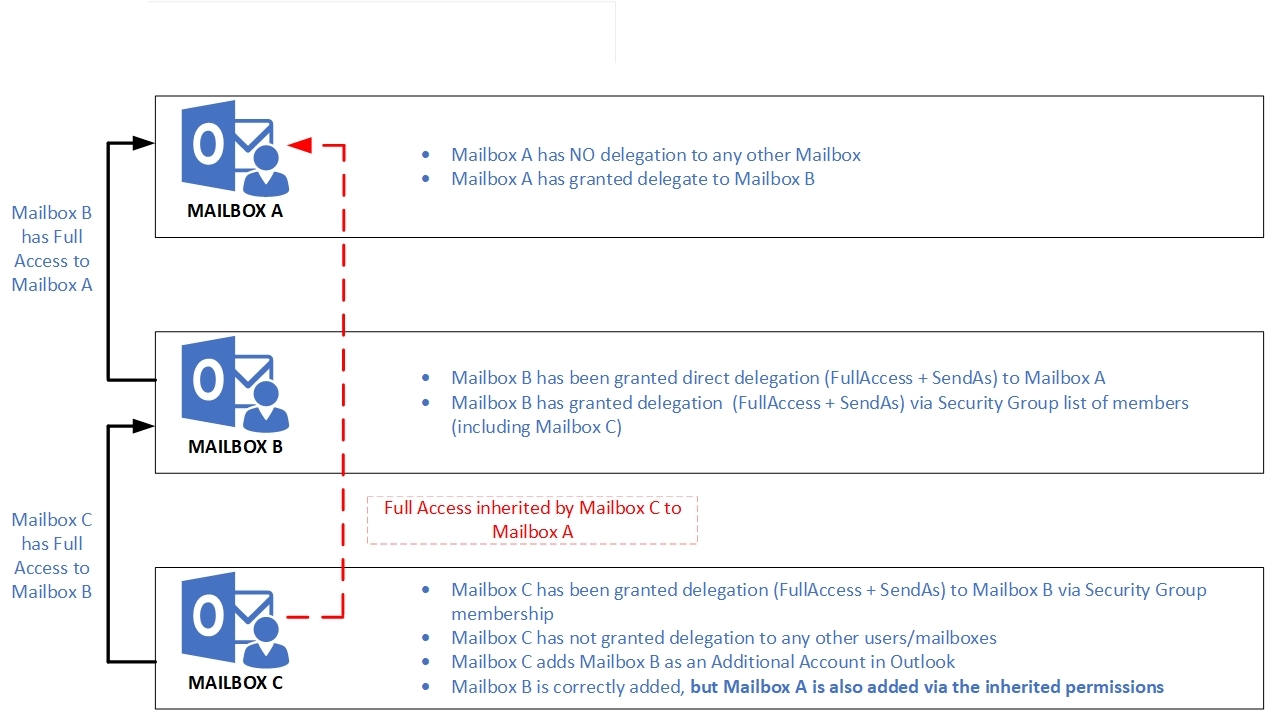
Well after some investigative work, it turns out they were receiving the access via a flow down affect from Mailbox Permissions they had been granted to different Mailbox. That Mailbox in turn, had been granted Full Access to the other user’ mailbox.
The specific case was:
- Mailbox A – not a delegate for any mailbox
- Mailbox B – Delegate for Mailbox A (FullAccess + SendAs) as a user – AutoMapping:$True
- Mailbox C – Delegate for Mailbox B via Security Group or explicitly – AutoMapping:$False
- Adds account in Outlook for Mailbox B and gets Mailbox A as an unexpected bonus!
Use cases
Whilst this is potentially a narrow use case, it is not likely to be rare either. Why?
Well, Users B & C could easily be in a Boss/Admin type relationship. User C could and be part of a dedicated team Executive Administrators that manage mailboxes for Senior Managers and Directors. We know this to be a valid scenario from previous clients.
Now consider that User Mailbox A goes on vacation or long term leave and asks Mailbox B to “keep an eye on my emails while I am away” and gets an Exchange Administrator to grant FullAccess to Mailbox A in the interim. Everyone that has access to Mailbox B now has access to Mailbox A as well via inherited permissions – including SendAs
Or, Mailbox B is in fact a Project Shared Functional mailbox. Multiple users and Service Accounts etc log into it to send/receive/check emails. That Functional Mailbox could conceivably also be granted access to the overall Project Manager’s mailbox: “Mailbox A”. Now everyone that is in the Access Delegation Group for the intended purpose of accessing the Project Functional Mailbox B, suddenly gets Mailbox A as well.
As Twan had very quickly rectified the situation I was not able to see it for myself, so I set about re-producing this in my Lab and sure enough:
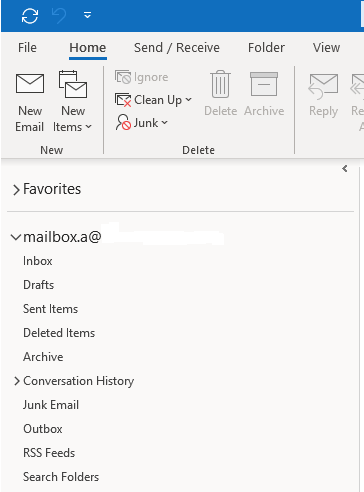
“Mailbox A” Profile
Mailbox A is not a delegate for any Mailbox, so as expected, they only see their Mailbox
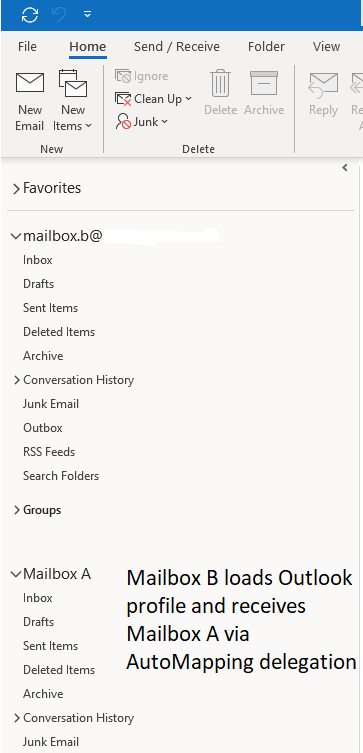
“Mailbox B” Profile
Mailbox B loads outlook profile and as expected receives Mailbox A per AutoMapping delegation
“Mailbox C” Profile
Mailbox C loads Outlook and initially has no other Mailboxes listed.
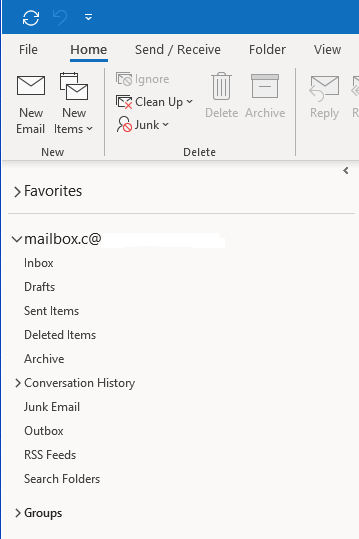
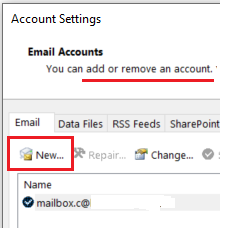
Then, using Add Additional Account method, adds Mailbox B
Before adding Account
After adding Account
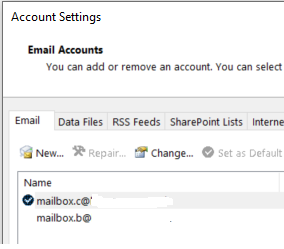
Mailbox definitely NOT added manually
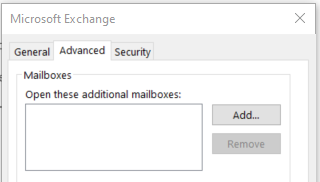
After adding the account for Mailbox B, closing Outlook and restarting they also get Mailbox A
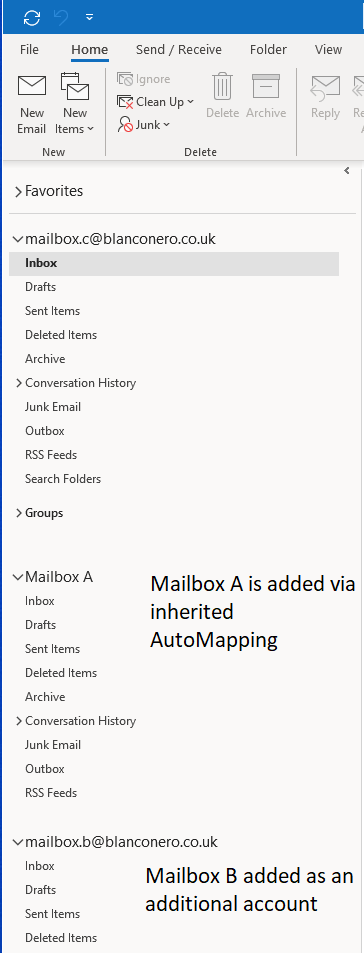
Hmmm, better check Full Access
At PowerShell if we check Mailbox A Mailbox Permissions, sure enough we do NOT see Mailbox C listed with FullAccess
Get-MailboxPermission "Mailbox A" | FT Identity, User, AccessRights -AutoSize Identity User AccessRights -------- ---- ------------ mailbox.a NT AUTHORITY\SELF {FullAccess, ReadPermission} mailbox.a mailbox.b@contoso.com {FullAccess}and check SendAs
Get-RecipientPermission "Mailbox A" | FT Identity, Trustee, AccessRights -AutoSize Identity Trustee AccessRights -------- ------- ------------ mailbox.a NT AUTHORITY\SELF {SendAs} mailbox.a mailbox.b@contoso.com {SendAs}By Design?
So, is this intended behaviour, a feature, or a bug? We’re not sure, but thought it was useful to share.
Recommendations
Never use AutoMapping. Automapping is bad.
-automapping:$False is your friend hereWe have blogged before about the correct way to add another Mailbox. Always use the Additional Account method – do NOT allow Outlook to add them via AutoMapping you never know who might get what!
Versions and Methods used
- Exchange Mailboxes hosted on Microsoft 365 Exchange Online
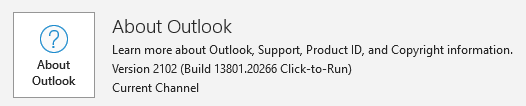
- Outlook Client: Office 365 CTR Version 2012
Grant delegation B to A
FullAccess
Add-MailboxPermission -Identity “mailbox.a” -User “mailbox.b” -AccessRights FullAccess -AutoMapping:$TrueSendAs
Add-RecipientPermission -Identity “mailbox.a” -Trustee “mailbox.b@contoso.com” -AccessRights SendAsGrant delegation C to B (via Group)
FullAccess
Add-MailboxPermission -Identity “mailbox.b” -User “MSG-MailboxB-FASA” -AccessRights FullAccess -AutoMapping:$FalseSendAs
Add-RecipientPermission -Identity “mailbox.b” -Trustee “MSG-MailboxB-FASA@contosos.com” -AccessRights SendAs
Conrad Murray
Conrad Murray is a Microsoft Certified IT consultant working in IT for over 20 years specialising in the Messaging arena and in particular Office 365 and previously Microsoft Exchange On-Premises and IBM Domino. Working with like minded colleagues now delivering very large scale complex migrations from Office 365 to Office 365 (tenant to tenant), Lotus Notes and On-Premises Microsoft Exchange to Office 365.
News & Insights
Trusted insights on technology and innovation to power your business growth.


-
 03/06/2026
A practical engineering guide to owners, assignment, consent, credentials and ...
Read More

-
19/05/2026
Domain migrations in Microsoft 365 are rarely as simple as shifting email ...
Read More

-
12/05/2026
Over the past 10 to 15 years, Microsoft 365 has fundamentally reshaped how ...
Read More

-
07/05/2026
Yesterday we had an all company meeting and I thought it would be cool to kick ...
Read More

-
07/05/2026
Planning a tenant-to-tenant migration? Talk to us
Read More

-
31/03/2026
In tenant-to-tenant (T2T) and Google-to-Microsoft 365 migration projects, ...
Read More

-
27/03/2026
You’d think this would be easy and not an uncommon request. There are genuine ...
Read More

-
23/03/2026
Managing Google to Microsoft Migration with GAM7 and PowerShell
Read More

-
16/03/2026
When a user leaves an organisation in Microsoft 365, administrators have ...
Read More
