We’ve all been there. The time comes when we resort to deleting the Outlook Profile and simply start again.
For IT Professionals this is pretty straight forward and we understand the implications of doing so – and the inevitable new OST download. If you are a big user of email, this could be a pretty big file (unless you are on a later version of Outlook with the OST slider bar)
For end users, there always comes a time where the fix will ALSO be to Delete & Recreate their Outlook Profile. Now, you don’t always have Remote Access to a users PC so sending them some clear instructions is always beneficial.
Some example reasons why you might delete and recreate a profile are:
Close Microsoft Outlook Completely
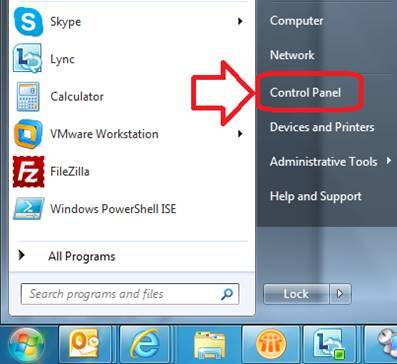
Go to Start, Control Panel
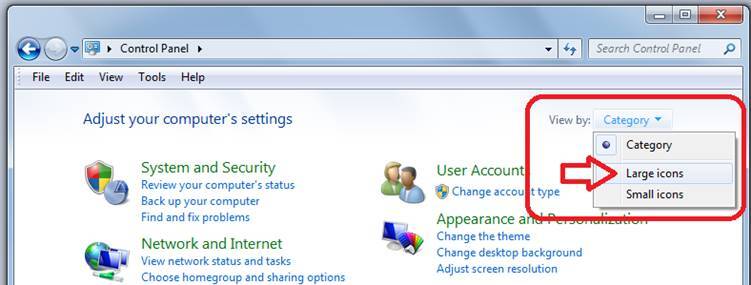
Switch to Large Icons
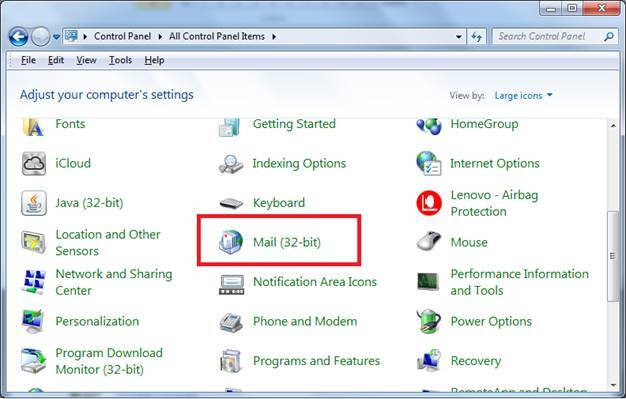
Find the Mail (32-bit) icon
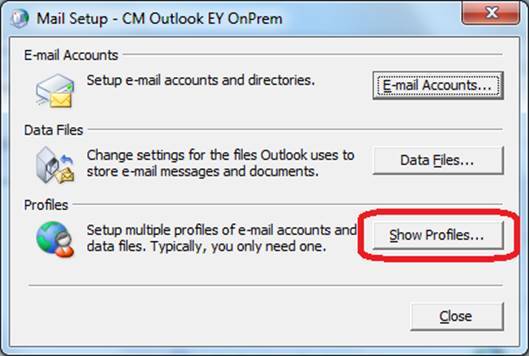
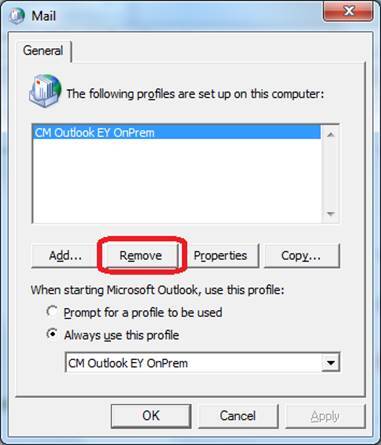
Go to Profiles
Click Show Profiles
To be 100% clean an experience IT user can perform these additional Steps.
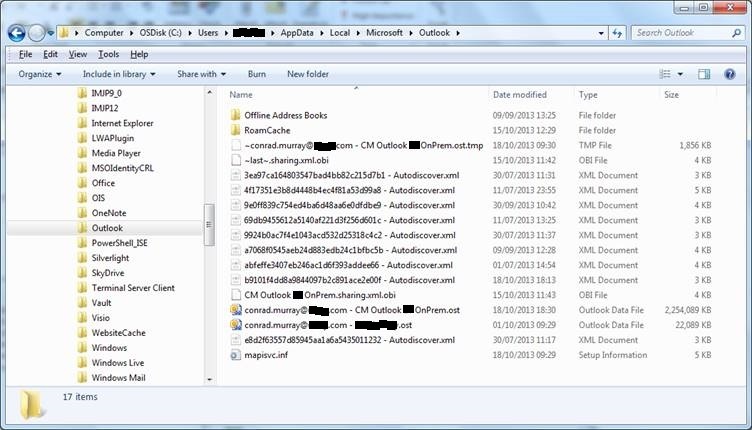
Delete ALL the files in here:
C:\Users\%username%\AppData\Local\Microsoft\Outlook\*.*
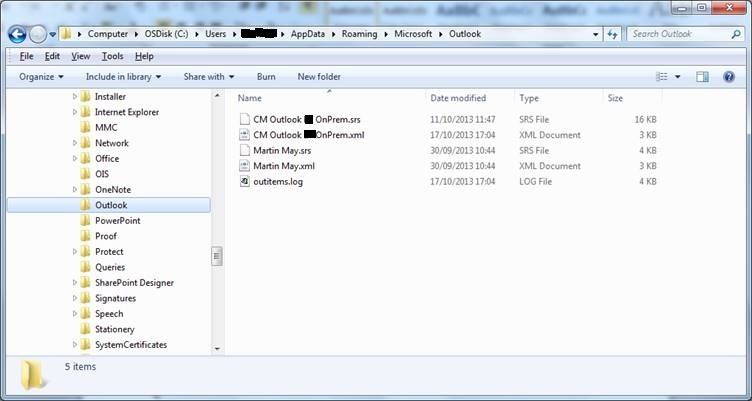
and also in here
C:\Users\%username%\AppData\Roaming\Microsoft\Outlook\*.*