As at today we have an interesting problem and an open ticket with Microsoft Office 365 that is being escalated to Product Support.
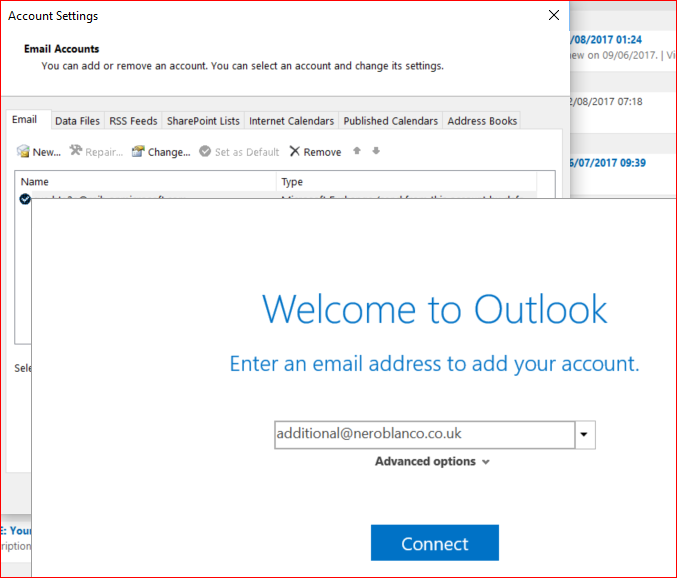
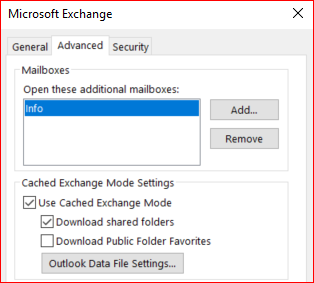
The scenario is pretty straightforward. Sharing a Mailbox via Full Access (no automapping) + Send on Behalf of Rights and attaching it in Outlook as a “New Account” (NOT as an additional Mailbox)
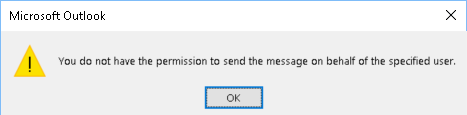
Well, what happens when you do this scenario? If you are running Outlook in non-cached mode you will immediately get an error message stating that you do not have rights to send on behalf of this user.
If you are in Cached mode, the email will send but you will very soon after get a delivery failure:
This message could not be sent. Try sending the message again later, or contact your network administrator. You do not have the permission to send the message on behalf of the specified user. Error is [0x80070005-0x0004dc-0x000524].
Why attach it as a new account? Because you get these benefits…
Even if you set up a DEDICATED Outlook profile, you will get the same behaviour.
So, what are the work-arounds?
Just use Full Access + SendAs + Auditing + Attach as new account. This has always been our recommended method. This allows users the following benefits:
Use Full Access + Send on Behalf of + Add as Additional Mailbox
Use OWA for Shared Mailbox Access
Manipulate the URL, e.g. ttps://outlook.office365.com/owa/additional.Mailbox@neroblanco.co.uk/?offline=disabled or just “Open Another Mailbox” and Send direct from OWA.
Send on Behalf of works as expected.
( * ) Sent and Deleted Items
You can get around the deleted items following this link: https://support.microsoft.com/en-gb/help/202517/items-that-are-deleted-from-a-shared-mailbox-go-to-the-wrong-folder-in you can also get around Sent Items via this method: https://blogs.technet.microsoft.com/exchange/2015/03/03/want-more-control-over-sent-items-when-using-shared-mailboxes/